PPC March 11, 2026  |  17059   18   |  9 min read  – Read later

Why PPC Specialists Need Serpstat Or How To Earn Money Doing Nothing

Why PPC Specialists Need Serpstat Or How To Earn Money Doing Nothing

Alex Vasylenko
Middle PPC Specialist at Serpstat
Swamped with work and running out of time? I'm here to make your life a bit easier. In this post, I'll show you how PPC specialists can use Serpstat to save time on their daily tasks.
Bookmark this article. And maybe don't show it to your boss — the hacks below will free up a lot of your time ;)

Identify the keywords your competitors use in PPC

When it comes to PPC, one of the easiest wins is launching a campaign using the keywords your competitors already bid on. Why? Because your competitors have already invested in these keywords, which means there's a good chance they're relevant to your niche. The more often a keyword appears across competitor campaigns, the more likely it is to be relevant to your business. Of course, you may run into highly competitive auctions. But that's a risk with any keyword. So without further ado, here's how to find them:
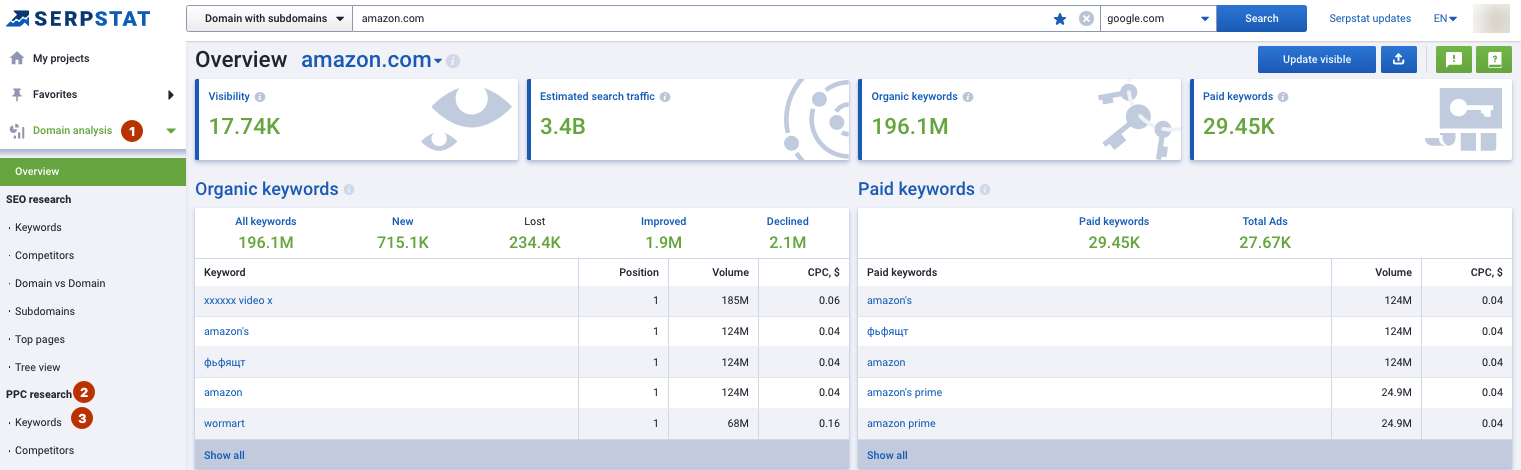
Go to Serpstat, sign up if you don't have an account yet. Enter your competitor's domain into the search bar, choose the database, and click "Search."
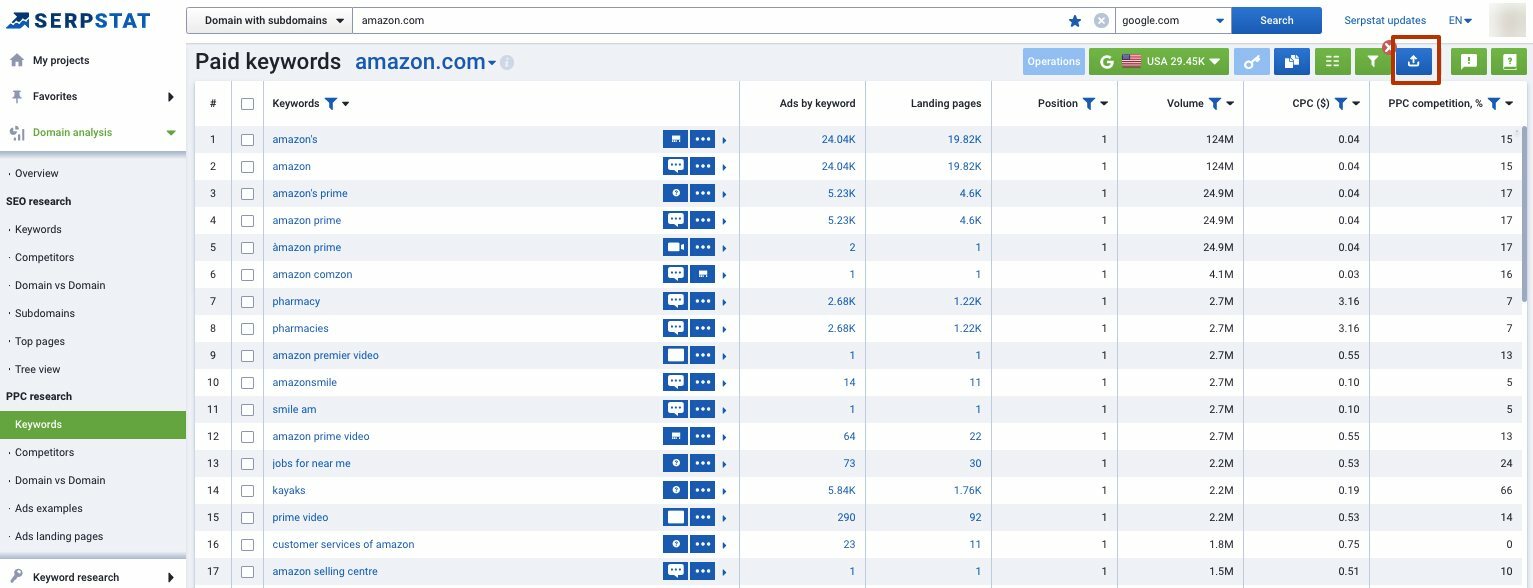
Go to "Domain Analysis" → "PPC Research" and click on "Keywords."
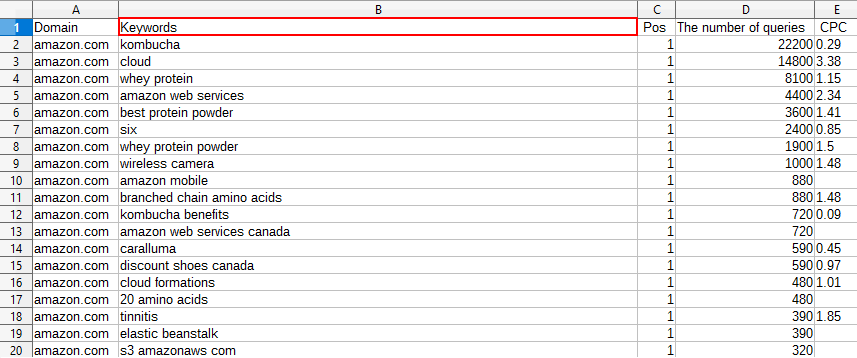
Export this report and analyze it.
Pay particular attention to the "Keyword" column.
Here you'll find all the keywords your competitor uses in paid advertising. It's a ready-made keyword list you can use to launch your own PPC campaign. Alternatively, you can exclude these keywords from your list to avoid direct competition.
We've created the Serpstat Website SEO Checker, which lets you find the key metrics of any site in just a few clicks.
To analyze a domain, you don't need to open Serpstat in a new tab — all the data you need is available with one click, right on the site!
Click the icon to get multiple SEO metrics for any domain or page: visibility, traffic, keywords, top competitors in the region, and more.
Read the post to learn about the benefits of the updated Serpstat checker.

Find out the ads your competitors use
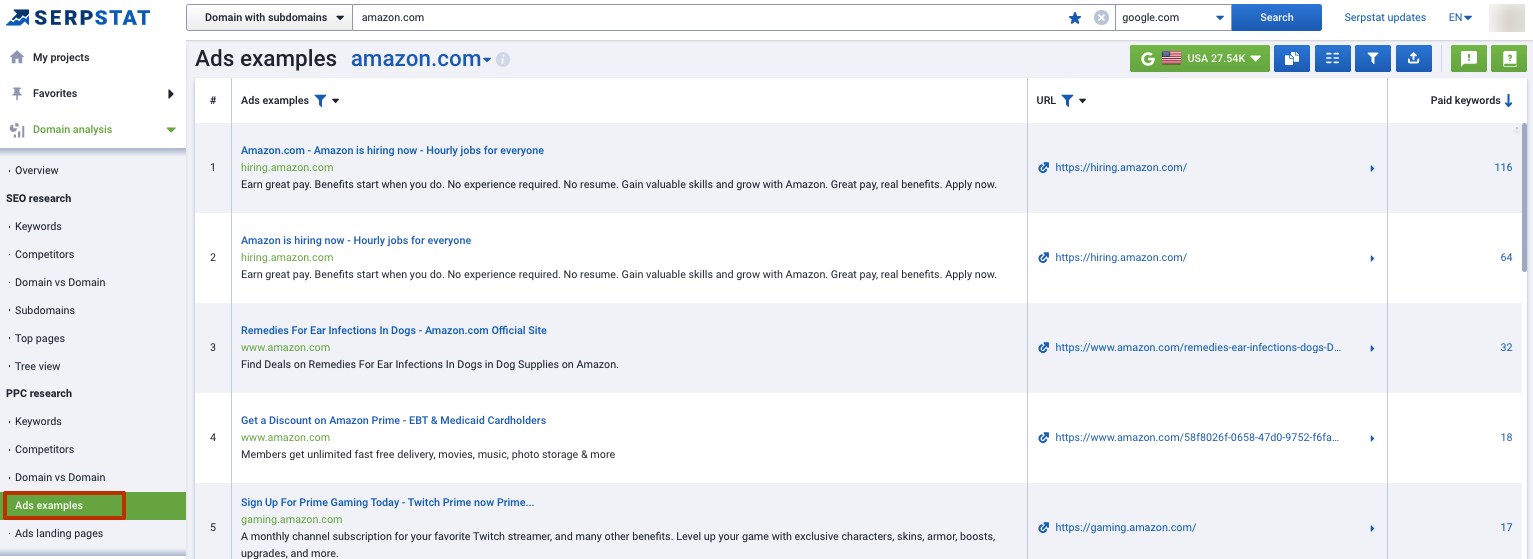
Writing ad copy may seem simple, but inspiration doesn't always strike on demand. This hack will help you find fresh ideas when you're stuck. Just like before, we'll borrow ideas from our competitors.
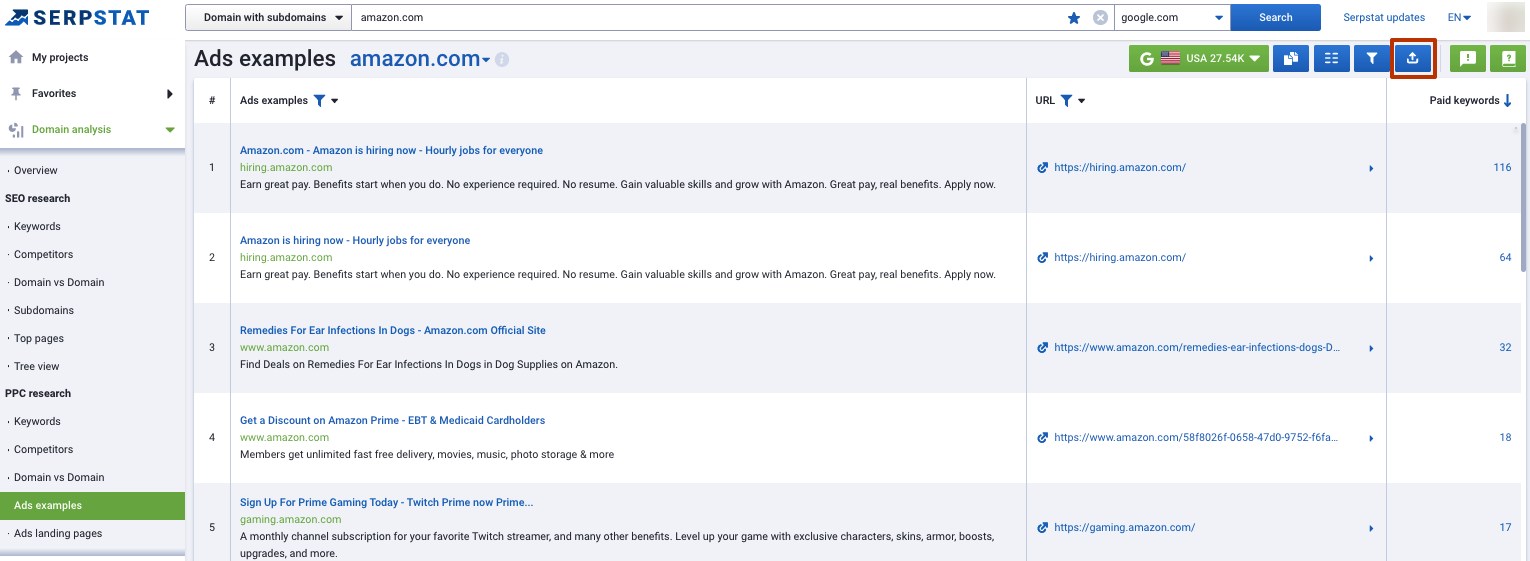
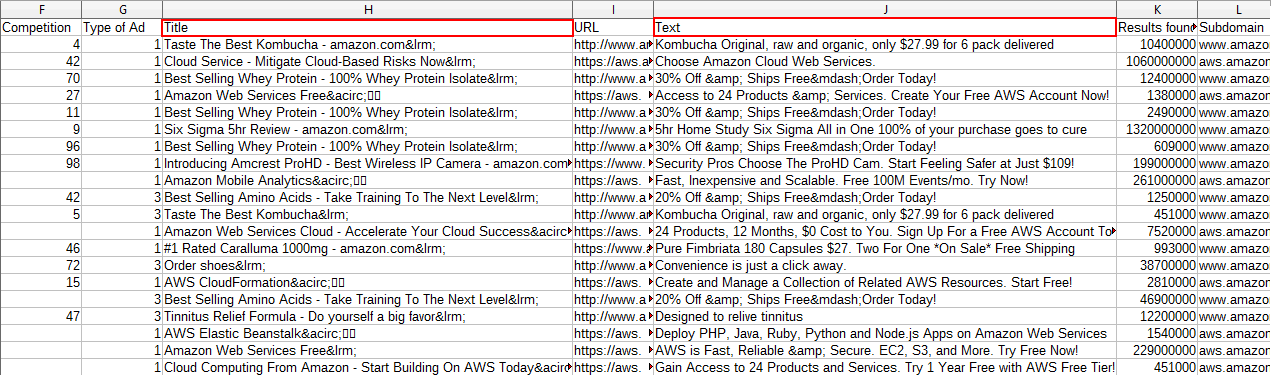
Switch from "Keywords" to "Ad examples" in PPC Research.
Export the report.
Pay attention to the "Title" and "Text" columns.

Check out landing pages your competitors align with PPC ads
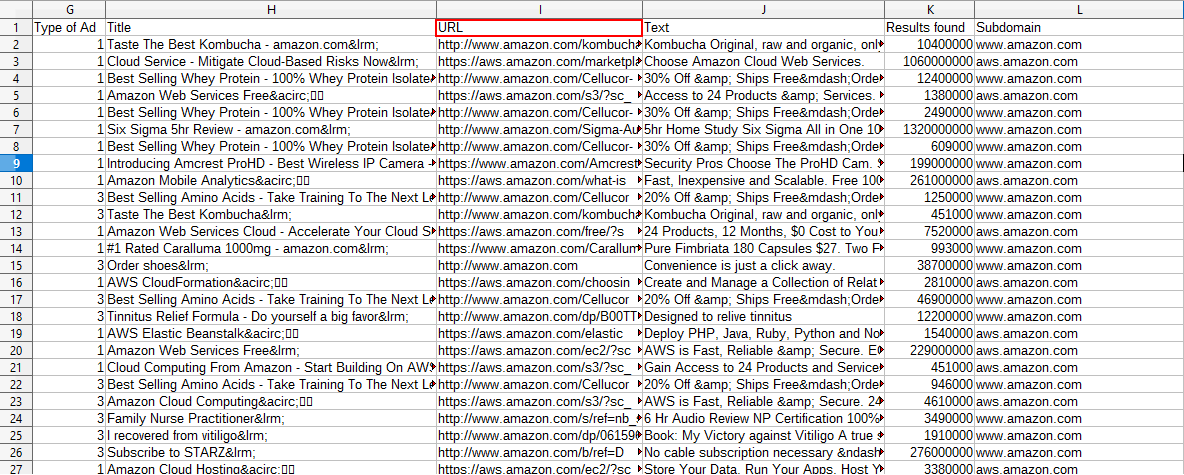
A landing page is an important part of a successful PPC campaign. Research your competitors and analyze the landing pages they use. This will help you understand which strategies work and which don't. Spend a few minutes each day tracking your competitors' landing pages so you don't miss any changes. Analyze what changed, why they made the updates, and how it affected conversions.
To do this, use the "Ads" feature in PPC Research. If you've already exported this report, just reopen it and look at the "URL" column.
Now you can see which strategies your competitors are using. Use these insights to refine your PPC campaign and work with your developer and designer to create new landing pages with clear, compelling CTAs.

Find missing keywords

How? You guessed it — we'll borrow from our competitors!
Let's compare the keywords we use with theirs.
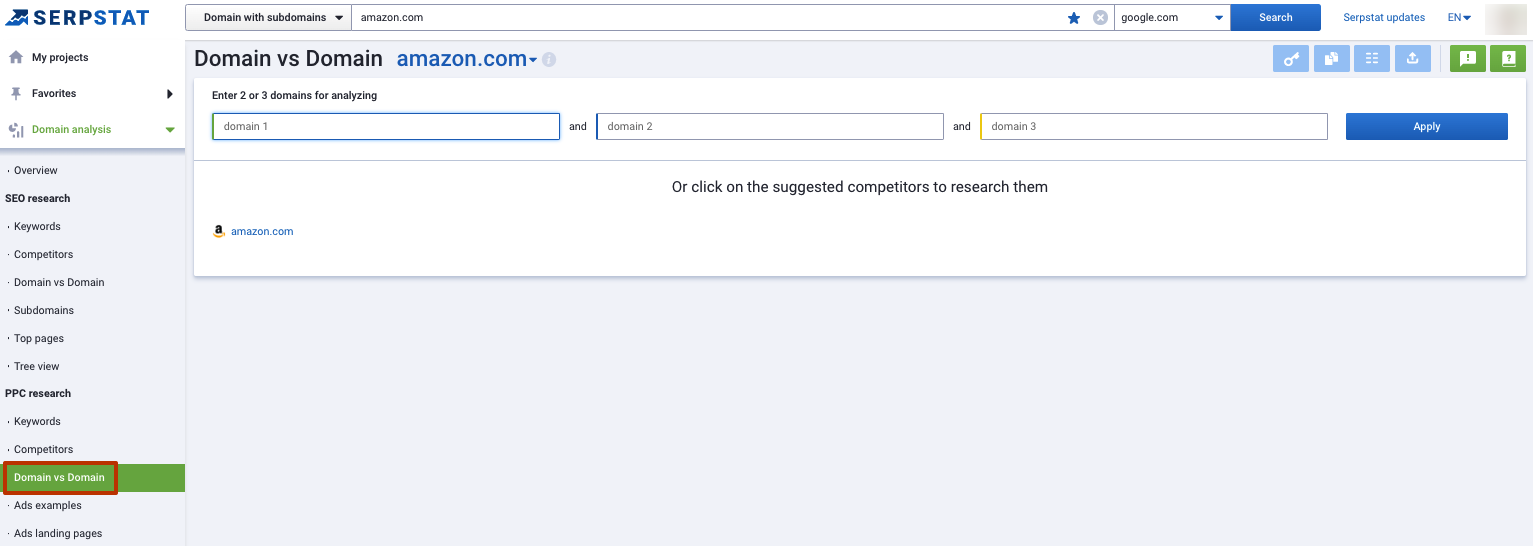
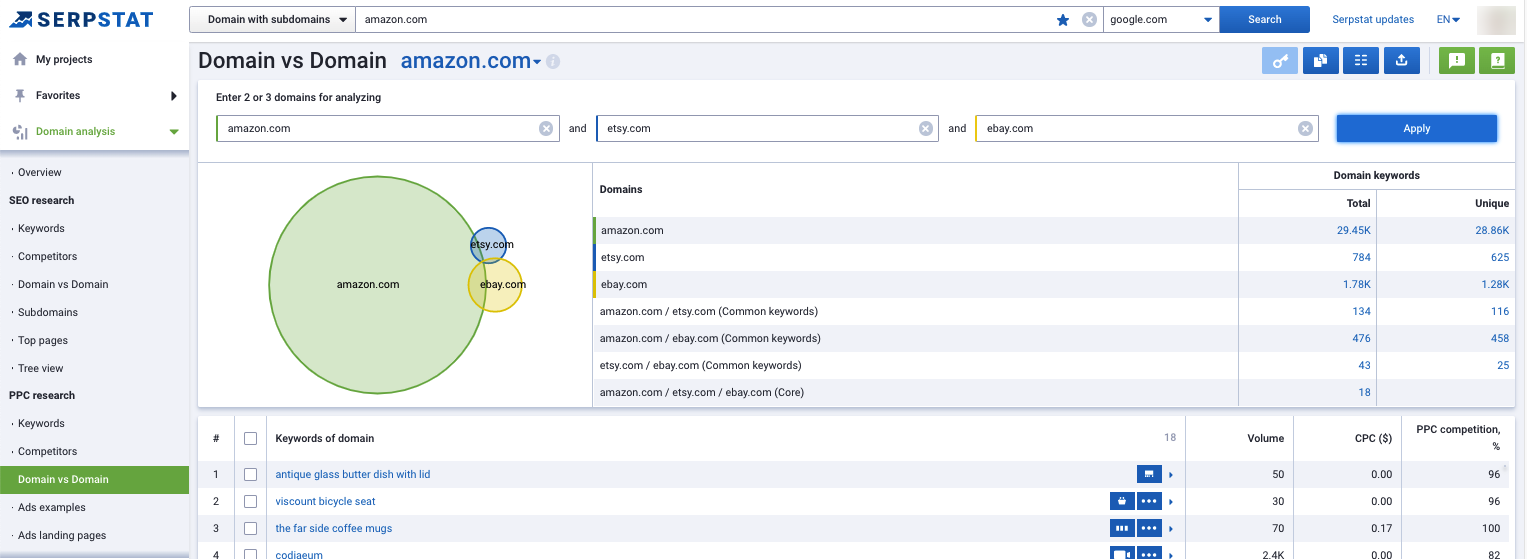
Go to the "Domain vs Domain" feature, also located in PPC Research.
Enter your domain in the first box and your competitors' domains in the remaining fields.
Analyze the results and compile a list of missing keywords:

  • unique to competitor #1;
  • unique to competitor #2;
  • common to both competitors.
Use these keywords to expand your keyword research. But what if you're already ahead of your competitors and there's nothing left to borrow? Read on to find out ;)

Get even more keywords

If you're already targeting more keywords than your competitors, you might be wondering where to find ideas for new campaigns. You could brainstorm, spend hours reading blogs and forums — or just use Serpstat ;)

This method combines several reports. Here's how it works:
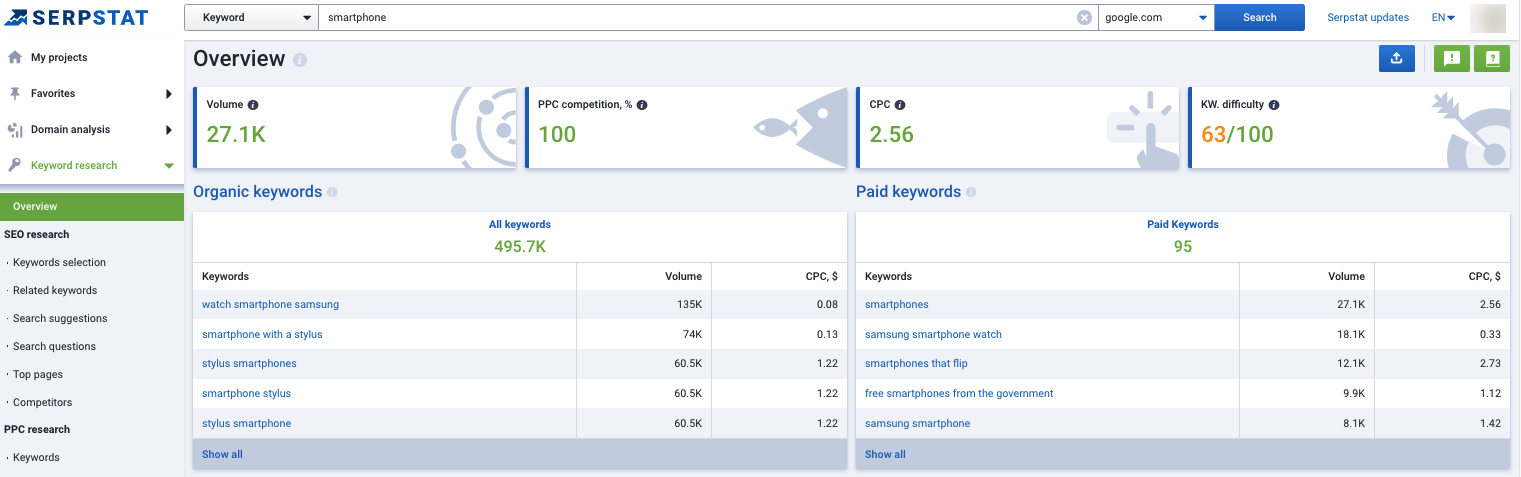
Enter a high-volume keyword relevant to your website into the Serpstat search box. For example, if you sell smartphones, enter "smartphone".
Then export the following reports one by one:

  • Keyword Research → SEO Research → Keyword Selection;
  • Keyword Research → SEO Research → Search Suggestions;
  • Keyword Research → PPC Research → Keywords.
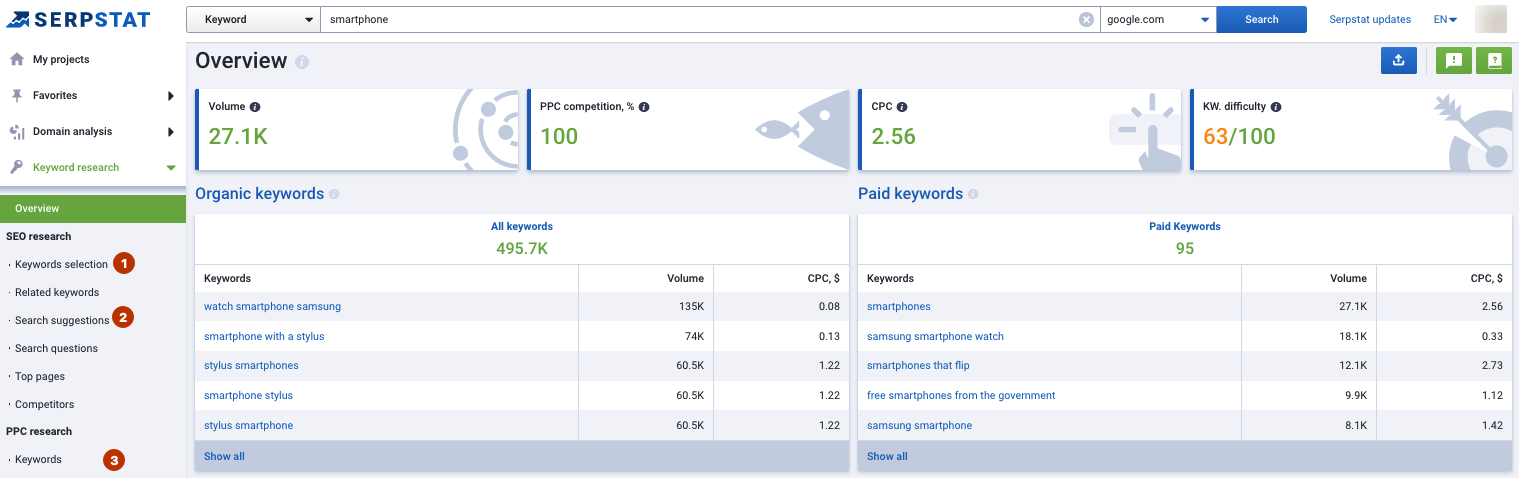
Once you've exported all three reports, combine them into a single file.
Now you have a large file packed with niche keywords. Group them and remove any irrelevant entries. More keywords means more traffic potential, so be prepared to allocate a larger budget for your PPC campaigns.

All of the hacks above are well-known and widely used by PPC professionals. They're tried and tested, so you can start using them with confidence. The next two methods can either drive significant traffic growth or drain your entire ad budget.

Set PPC campaigns using the branded keywords of your competitors

If you're an experienced PPC specialist or work at a PPC agency with a high volume of traffic, give this method a try.
Enter a competitor's branded keyword into the Serpstat search box — let's use Amazon as an example. Then go to "Keyword Research" → "SEO Research" and click on "Search Suggestions." Export this report and analyze it.
This strategy is controversial and expensive. Since your pages won't naturally contain your competitor's branded keywords, you'll need to increase your keyword bids. Pair these branded keywords with generic, neutral ad copy. For example, an ad targeting the keyword "amazon" could read: "The biggest online retailer." You can also run campaigns using negative brand keywords — something like "[brand name] alternative."

Don't miss high volume keywords

This hack focuses specifically on informational keywords. Align your PPC ads with informational pages on your website, such as blog articles. This method probably won't drive high conversions, but it's great for building brand awareness. By answering your audience's questions, you'll build trust and encourage them to buy from you.
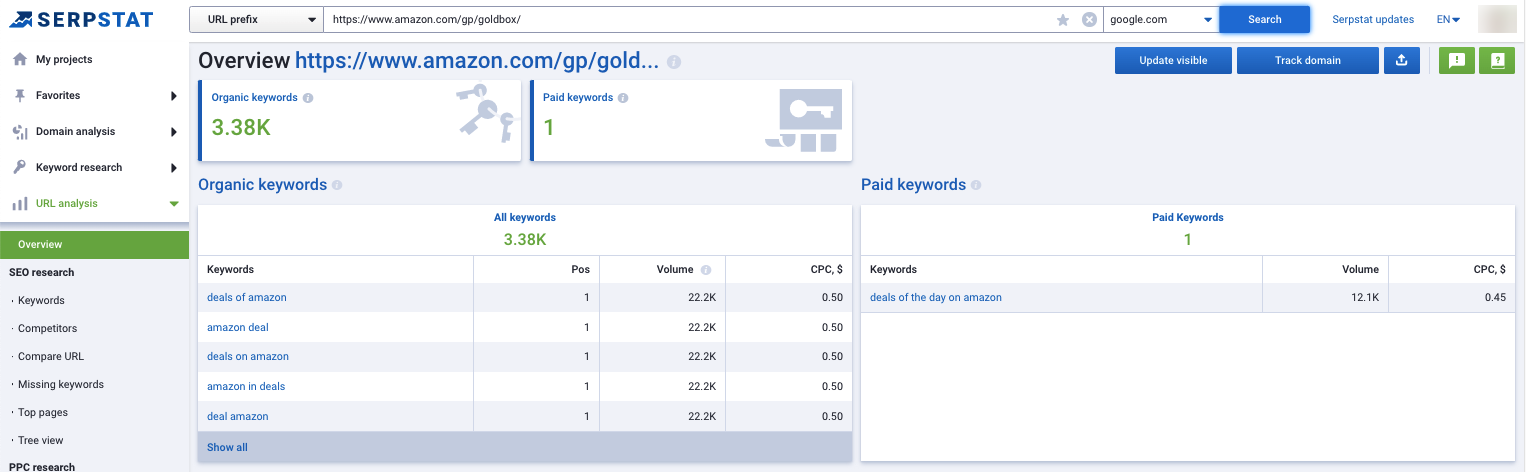
Enter the URL of your blog or any informational section of your website into the Serpstat search box, then select the "URL prefix" filter on the left.
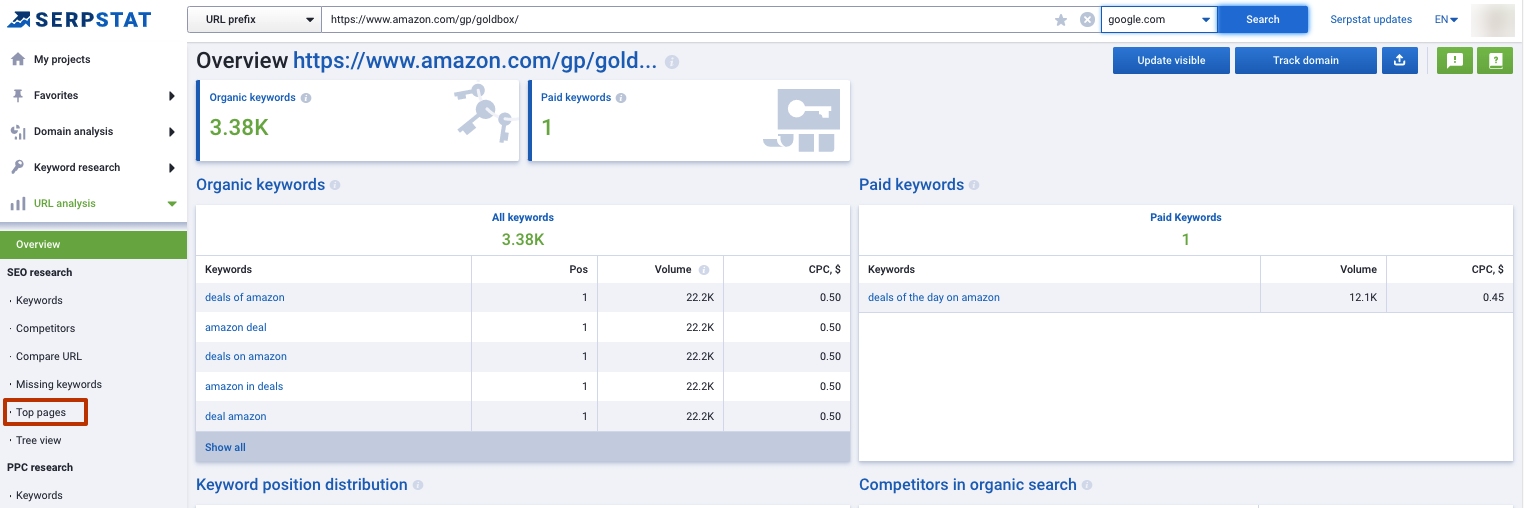
Go to "Domain Analysis," then "SEO Research" and click on "Top Pages."
Export this report and analyze it.

Summing up

PPC specialists can use Serpstat to:

  • find competitor keywords and use them in their own PPC campaigns;
  • analyze competitor ads and borrow creative ideas;
  • monitor competitor landing pages and track changes over time;
  • find missing keywords;
  • discover additional keywords;
  • run PPC campaigns targeting competitor branded keywords;
  • launch ad campaigns using high-volume keywords to promote the blog or other informational pages.
This is just a fraction of what PPC specialists can do with Serpstat. There are so many powerful features that it's impossible to cover them all in a single blog post. The main goal of this post is to show you how much time Serpstat can save on your routine tasks. The more time you save, the more money you earn ;)

Speed up your search marketing growth with Serpstat!

Keyword and backlink opportunities, competitors' online strategy, daily rankings and SEO-related issues.

A pack of tools for reducing your time on SEO tasks.

Get free 7-day trial

Rate the article on a five-point scale

The article has already been rated by 1 people on average 5 out of 5
Found an error? Select it and press Ctrl + Enter to tell us

Discover More SEO Tools

Keywords Grouping

Streamline your SEO efforts with our advanced clustering keywords tool

Search Google Trends

Unlock the power of your target audience's searched keywords with our keyword trends

Keyword Volume Checker

Bulk Keyword Volume Checker – get valuable information about your target keywords

Tools for Keywords

Keywords Research Tools – uncover untapped potential in your niche

Share this article with your friends

Are you sure?

Introducing Serpstat

Find out about the main features of the service in a convenient way for you!

Please send a request, and our specialist will offer you education options: a personal demonstration, a trial period, or materials for self-study and increasing expertise — everything for a comfortable start to work with Serpstat.

Name

Email

Phone

We are glad of your comment
I agree to Serpstat`s Privacy Policy.

Thank you, we have saved your new mailing settings.

Open support chat
mail pocket flipboard Messenger telegramm